
Hide
Cyberpunk 2077 Update 2.5 added console mods via mod.io, so you can now browse and install mods in-game on PS5, PS5 Pro and Xbox Series X|S (with Switch 2 to follow). You need the game on version 2.5, an internet connection, and a free CD PROJEKT RED Account linked to mod.io — then it’s a case of opening the Mods tab, subscribing to a mod, and restarting. One big caveat: a modded save disables trophies and achievements.
Here is the full step-by-step for installing mods on console in Cyberpunk 2077, which platforms support it, and the limitations to know before you start. The feature arrived with the Edgerunners 2 Update on 22 October 2026 and brings the kind of mod access PC players have had for years to current-gen consoles. Steps are from CD PROJEKT RED’s official guidance and launch coverage (heise, Power Up Gaming), as of October 2026.
How to install console mods (step by step)
The steps to get a mod running on PS5 or Xbox Series.
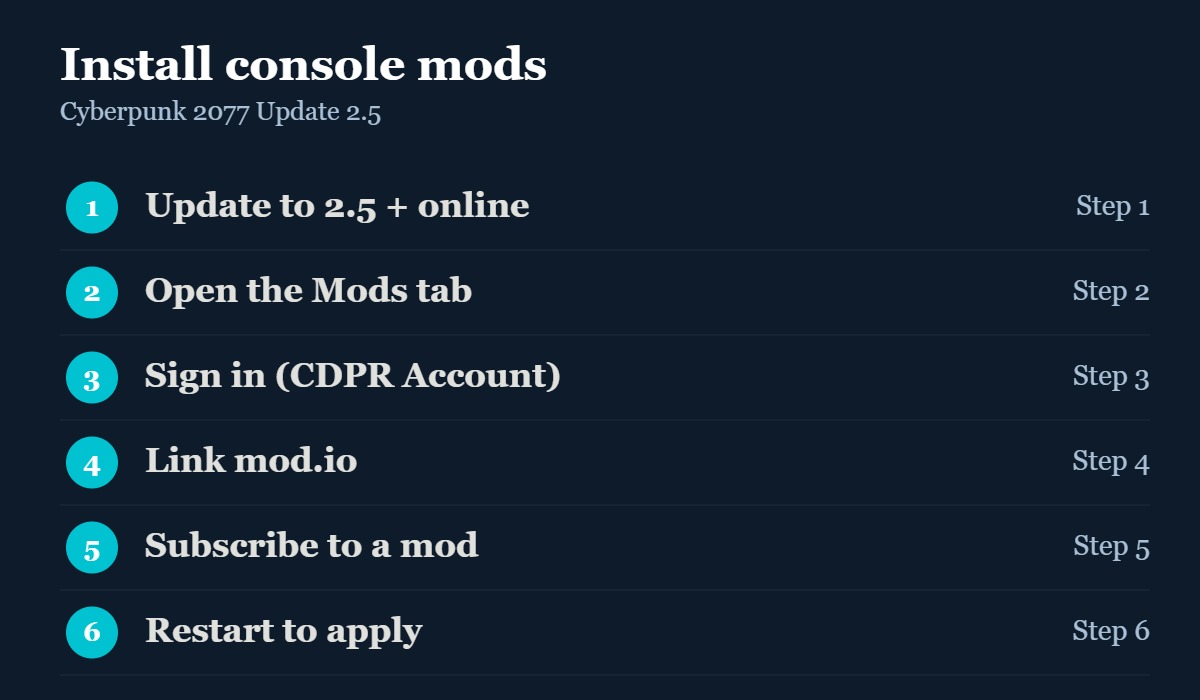
| Step | What to do |
|---|---|
| 1 | Update the game to version 2.5 and launch it while staying online |
| 2 | From the main menu, select the Mods tab |
| 3 | Sign in with your CD PROJEKT RED Account (create one here if needed) |
| 4 | Link it to mod.io when the game prompts you |
| 5 | Browse the catalog, open a mod, hit Subscribe and wait for the download |
| 6 | Restart the game (or return to the main menu) for the mod to take effect |
What you need first
Three things, and all are free. First, the game must be on Update 2.5 — the Edgerunners 2 Update that launched 22 October 2026. Second, you need an internet connection, because mods are browsed and downloaded in-game through mod.io rather than sideloaded. Third, you need a CD PROJEKT RED Account, which you can create during the sign-in step and then link to mod.io when prompted. There’s no need for a USB drive, a PC, or any file transfers — the entire flow lives inside the game’s Mods menu, which is what makes 2.5’s implementation so much simpler than old console-mod workarounds.
The steps explained
The parts of the process worth getting right.
#1
Login
Install
Apply
The flow is deliberately simple: everything happens through the in-game Mods tab on the main menu. The one step people miss is staying online — mods are streamed from mod.io, so you can’t browse or download offline. Signing in with a CD PROJEKT RED Account and linking mod.io is a one-time setup; after that, installing a mod is just Subscribe and wait. To remove a mod, unsubscribe from it the same way. Remember the achievement caveat before you commit a main save to mods.
More Cyberpunk on EverythingEdinburgh: our Update 2.5 patch notes, best 2.5 dual-wield build and the Edgerunners 2 ending explained.
Supported platforms
Where console mods work — and where they don’t.
| Platform | Console mods? | Note |
|---|---|---|
| PS5 / PS5 Pro | Yes | In-game via mod.io on Update 2.5 |
| Xbox Series X|S | Yes | In-game via mod.io on Update 2.5 |
| Nintendo Switch 2 | Yes (later) | Follows after the launch window |
| Mac (App Store) | Yes (later) | Follows after the launch window |
| PS4 / Xbox One | No | Last-gen consoles are not supported |
| PC (Steam/GOG/Epic) | Yes | mod.io in-game, plus the existing Nexus scene |
Cyberpunk 2077 console mods FAQ
Steps and limitations are from CD PROJEKT RED’s official console-mods guidance and launch coverage (heise, Power Up Gaming, G2A), as of October 2026. The available mod catalog and platform rollout will expand over time.